




Skip to main content

Language

Currency

Sign in

Roblox Cheat

Roblox cheat with dedicated support for 33 games and a universal mode for the rest.

Choose your plan
  • Instant DeliveryKey by email in seconds
  • UndetectedLive status before you buy
  • Easy SetupStep-by-step setup guide
  • 24/7 SupportReal people on Discord

Video

Roblox Cheat Showcase

FEATURES

Features

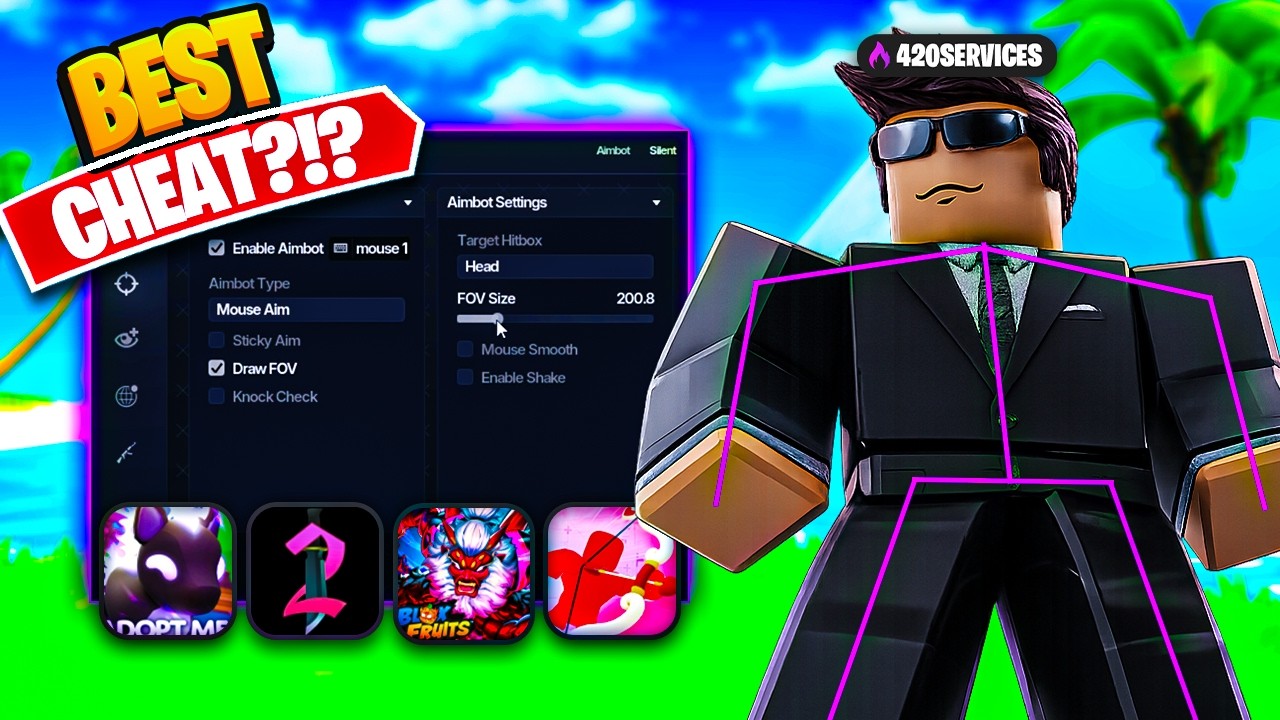
Roblox VIP Cheat. Roblox cheat with dedicated support for 33 games and a universal mode for everything else. Aimbot, triggerbot, silent aim and hitbox expander, a full ESP system with radar, exploits like fly, noclip and walkspeed, and separate menus for Rivals, Da Hood, Blox Fruits, Blade Ball and more. Streamproof, with a config system

  • Universal (CPU optimised)
  • Universal (full R6 and R15)
  • Rivals
  • Da Hood
  • Hypershot
  • Phantom Forces
  • Bad Business
  • Frontline
  • DeadLine
  • Trident Survival
  • Blackhawk Rescue
  • Wild West
  • RiotFall
  • Rush Point
  • Lone Survivals
  • Aftermath
  • Arsenal
  • Apocalypse Rising 2
  • Sniper Duel
  • Blade Ball
  • Murder Mystery 2
  • Overkill
  • Fallen
  • Operation One
  • Blox Fruits
  • 99 Nights in the Forest
  • Decay
  • Scorched Earth
  • Sound Space
  • Prison Life
  • Virus Border RP
  • Havoc
  • Toggle with a keybind
  • hold, toggle or always on
  • Two types
  • mouse aim and memory aim
  • Hitbox
  • head, humanoid root part, upper torso or lower torso
  • FOV from 1 to 1000, drawn on screen
  • Sticky aim
  • Knock check
  • Wallcheck by camera ray
  • Distance limiter from 10 to 500
  • Mouse smoothing on X and Y, plus sensitivity
  • Mouse prediction on X and Y
  • Camera smoothing and camera prediction on X and Y
  • Shake on the X and Y axis
  • Toggle with a keybind
  • hold, toggle, always, or no keybind at all
  • Hit part targeting and custom bone targeting
  • Bones
  • head, root, torso, arms, hands, legs and feet
  • Hitchance system
  • Hitbox scale adjustment
  • Team check and wallcheck
  • Distance check from 10 to 500
  • FOV check with a radius from 1 to 300
  • Activation delay 0 to 500 ms, release delay 1 to 200 ms, confirm delay 0 to 150 ms
  • Knockout check and knife check in Da Hood
  • Closest part targeting
  • Target hitbox selection
  • FOV from 0 to 1000, drawn with its own colour
  • Random part system with per-bone chances in Rivals
  • Own percentages for head, root, torso, legs, arms and hands
  • Projectile exclude in Rivals
  • grenade, smoke, flash, warpstone, satchel and molotov
  • Size on X, Y and Z
  • 3D hitbox ESP with a colour picker
  • Range 0 to 500 on universal and BloxStrike
  • Range 0 to 30 on Da Hood, Hypershot and Arsenal
  • Live preview on an R6 or R15 avatar
  • Box and corner box, filled, with adjustable thickness
  • Username and display name, top or bottom
  • Distance, top or bottom
  • Health bar and health text with a threshold check
  • Snapline from crosshair, top or bottom
  • Skeleton and head ESP with thickness
  • Loot, weapon and tool ESP
  • Radar with size, range, distance and icons
  • Team check, wallcheck and outline
  • Max distance from 50 to 10000
  • Player count and search
  • Avatar headshots
  • Status per player
  • enemy, whitelist or hard target
  • Set and clear a hard target
  • Mark as enemy or whitelist
  • Teleport to a player
  • Spectate and unspectate
  • Walkspeed 1 to 1000 with a keybind
  • Fly 1 to 1000 with a keybind
  • Noclip with a keybind
  • Keybind modes
  • hold, toggle or always
  • QWERTY and AZERTY layouts
  • Animation changer for universal and Da Hood
  • Animation packs
  • Bypass jump cooldown and infinite gun range in Da Hood
  • Door noclip in Prison Life and Virus Border
  • Barrier noclip in BloxStrike
  • Adjustable jump power with a keybind
  • Fly in velocity mode
  • Trident Survival
  • points of interest, caves, safe zones, toxic areas, events, loot, trees, vehicles and NPCs
  • Wild West
  • bots, weapons, horses, animals, loot bags, chests, ore, trains and NPCs
  • Lone Survivals
  • loot, weapon drops, backpacks, crates, vehicles, water, dead bodies and NPCs
  • Aftermath
  • zombies, loot, vehicles, points of interest and graves
  • Decay
  • Havoc
  • loot, bodies, ammo, extraction points and NPCs
  • Overkill
  • player ESP
  • Murder Mystery 2
  • coin ESP
  • Prison Life and Virus Border
  • item ESP
  • BloxStrike
  • weapons, armor, bomb with timer and grenades
  • Anti katana with separate toggles for aimbot, silent aim and triggerbot
  • Weapon ESP with skin name
  • Level, streak and rank ESP
  • Tripmine and warper ESP
  • Projectile ESP with prediction and trail
  • Grenade, smoke, flash, warpstone, satchel and molotov
  • Skin changer in beta, with weapon and skin select, refresh and apply
  • Keep after match, ready only or key skins only
  • Dead check on the visuals
  • Skin changer with apply
  • Skins
  • galaxy, inferno, matrix, red death and gold glory
  • Also glock, shotgun, silencer, P90, RPG, flamethrower and drum gun
  • Held weapon ESP
  • Dropped weapon ESP
  • Grenade ESP with max damage
  • Team check
  • World max distance from 50 to 1500
  • Include bots
  • Weapon ESP
  • Team check
  • Hitbox expander
  • Ore
  • stone, metal and phosphate
  • Plants
  • wool, lemon, tomato, corn, raspberry, blueberry and pumpkin
  • Animals
  • deer, wolf and wild boar
  • Keycards
  • purple, pink, yellow and red
  • Cabinet ESP
  • Ore max distance from 10 to 1000
  • Auto parry with curve check
  • Curve threshold, click lock, panic distance and panic speed
  • Toward dot
  • Detects singularity cape, telekinesis, freeze and martyrdom
  • Manual spam with 1 to 1000 clicks per second and a keybind
  • Dev tool
  • min speed, base distance, timing, multiplier, min and max distance
  • Murderer and sheriff ESP
  • Coin ESP with a colour picker
  • Auto farm by teleport
  • Teleport delay from 0.10 to 3.00 seconds
  • Enemy, chest, devil fruit, NPC and sea beast ESP
  • World ESP distance from 100 to 10000
  • Auto collect for fruits and chests
  • Collect delay from 0.10 to 2.00 seconds
  • Auto farm mobs with auto click
  • Farm height and farm filter
  • Aim at animals, players or bunnies
  • Chest, food, scrap, tool and kid item ESP
  • Auto teleport with a keybind
  • Teleport to lost child, chests, food, scrap and fuel, tools or kid items

COMMUNITY FEEDBACK

Trusted by our community

Trustpilot5/5 · 7,500+ reviews

  • Matthew duffyUS

    This service is fantastic, and I highly recommend it. I've tried other services before, but this one truly stands out. Give them a try, you won’t be disappointed.

  • adrienUS

    one of the best supports that I've had for these type of products quick fast and super helpful and very respectful i enjoy what 420 services puts out

  • Andrei IugaRO

    i heard i lot about this company and my friends said to try some products , and it was amazing no extra pay just direct product , very well made

  • BALLHOGGERUS

    BEST WEBSITE EVER FOR ALL FIVEM GAMER GREAT SERVICE ALL ROUND BEST WEBSITE I HAVE VISTED BY FAR FOR FIVEM 100/10

  • OmarixnnUS

    Best assistance when it comes down to the fivem experience . wouldnt recommend you to go anywhere else .

  • hexamfPL

    10/10 experience, administration is really helpful, they are the best in what they do.

  • SenoUS

    Love this server honestly yall should check it out best fivem cheat on top

  • Carteir CaptDK

    Amazing services I would for sure recommend looking in to🔥🔥

  • Fade MontanaUS

    Goats Great Mods And Helpful Fox videos all around W

  • JadenUS

    they sold me a product within 5 minutes of me buying

  • Johnny JUS

    420 services is tha best u can get w 420 services

  • Jamair ScottUS

    THE SCRIPTS ARE VERY ENTERTAINING AND USEFUL.

  • nahhUS

    I love their nice services and great support

  • Dominik JIS

    Best service on the web all of good script's

  • Trill MonieUS

    very helpful and has the best fivem service

  • EmmersonUS

    Very Helpful, good response time and all.

  • Styx YTIT

    really great experience, congratulations

  • elber guerraUS

    great cheats and support be on point

  • Tyrese DavisGI

    they are the best on the market

View More Reviews

GOOD TO KNOW

Roblox Cheat FAQ

Question not answered here? Our support replies on Discord (opens in a new tab).

Universal, Rivals, DaHood, HyperShot, Phantom Forces, Bad Business, Frontline, DeadLine, Trident Rival, BlackHawk Rescue Mission 5, Wild West, RiotFall, Rush Points, Lone Survivals, AfterMath and Arsenal.

It is built to be. The mode presets set the aim and ESP options for the game you picked, so you do not have to tune anything by hand.

Yes. Secure Boot and virtualization both have to be OFF for this product.

Roblox first, then the loader as administrator with your key. Pick your mode from the in-game list, press Launch, and open the menu with Insert.

Yes. The build is streamproof.

  1. Turn your antivirus off and install the runtimes

    This is the same for every product and only needs doing once per PC.

    • Uninstall every antivirus program. Kaspersky and Malwarebytes have to go completely - switching them off is not enough.
    • Turn Windows Defender off, including real-time and tamper protection. dControl does it in one click: dControl - archive password sordum.
    • Uninstall the anti-cheat of every other game: Riot Vanguard, FACEIT, ESEA, Easy Anti-Cheat, BattlEye. Remove the folders too.
    • Install the Visual C++ Redistributables, all versions: Visual C++ All-in-One - unzip it and run install_all.bat as administrator.
    • Install the DirectX End-User Runtime from DirectX runtime - run it as administrator.
    • Install .NET Framework 4.8 or newer from .NET 4.8 - run it as administrator.
    • Restart the PC once everything is installed.
  2. Download the loader

    Your download sits in your account next to this product. Keep antivirus off while it downloads and while you unpack it. The .rar archive is password-protected — password: 123.

  3. Enter your licence key

    Start the loader and paste the licence key from your account when it asks for one.

  4. Open the loader, then start Roblox

    The loader always comes first, the game second. Start the loader, let it finish, and only then open Roblox.

  5. Join a game and play

    Once you are in a game the cheat is active. It updates itself - after an update, close the loader and open it again so the new build is picked up.

Read the full setup guide

Other products

More from the same category and from across the store.

All games